Create an API Key
Create an API key
Your API key connects your application to OneMinute Logs.
It should be treated like a password. Never expose it publicly, commit it to GitHub, or place it in client-side code.
1. Open the API Keys page
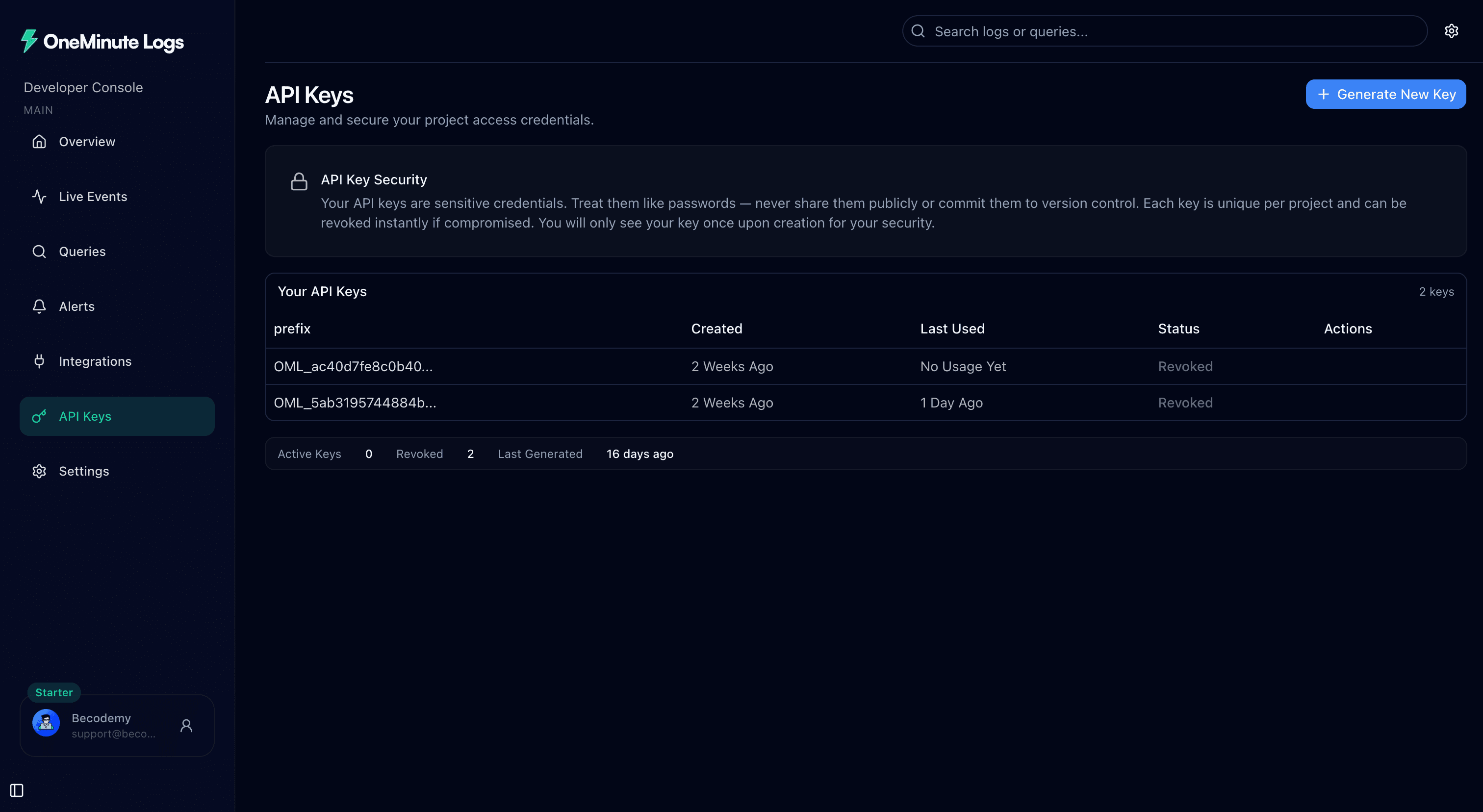
Sign in to your OneMinute Logs account, open the dashboard, and select API Keys from the sidebar.
2. Generate a new key
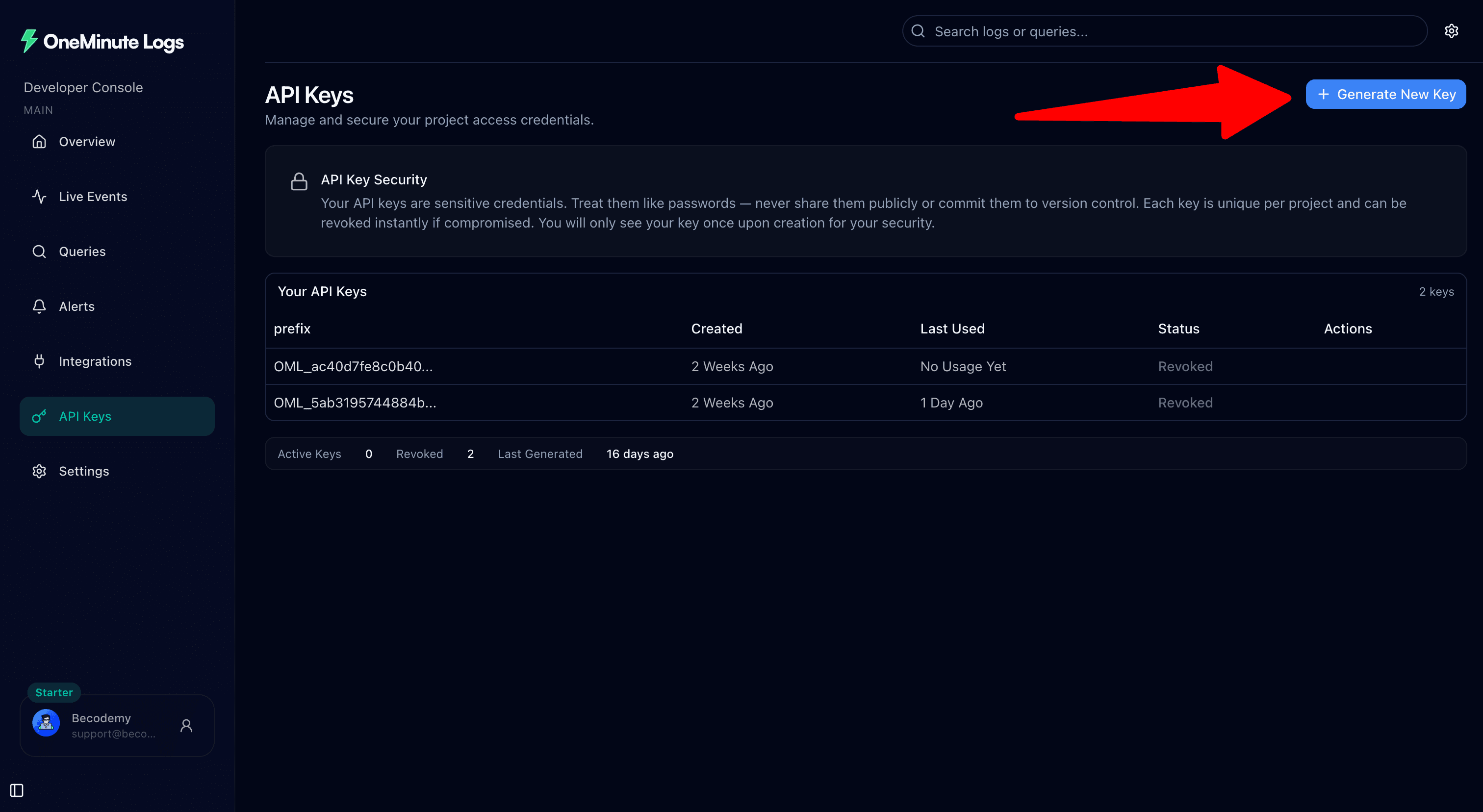
Click Generate New Key.
Your new API key will be shown only once, so copy it immediately and store it somewhere safe.
Important
You won't be able to view the full API key again after closing the dialog. Generate a new key if you lose it.
3. Add it to your environment file
For Next.js, add this to .env.local:
ONE_MINUTE_LOGS_API_KEY=your_oml_api_keyFor Express and NestJS, add this to .env:
ONE_MINUTE_LOGS_API_KEY=your_oml_api_keyYou can keep the same variable name across all supported frameworks.
4. Keep it secure
Do not place the key directly in your source code:
const apiKey = "oml_...";Do not add .env or .env.local files to version control.
Use:
process.env.ONE_MINUTE_LOGS_API_KEYDone
Your application is now ready to connect to OneMinute Logs.